
One Kanban across every monday board
Pull items from multiple boards into a single command center. Group, filter, swimlane, and drag work without hopping tabs all day.
3,670+ installs on monday.com
Trusted by
Teams that live in boards




















Wall of love
What teams say


"Multi Board Kanban gave us the clean, configurable roadmap view we couldn't get out of the box. Simple enough for any associate, flexible enough for our product managers to tell their story."
Nicholas Gryfakis
AVP, Product Management, Edifecs
"The developer has been super responsive to my questions and suggestions for getting this app to match our workflow. It's working perfectly for us now! Highly recommend!"
Katie LaSeur
President, Creative Fold
"This app allows us to comprehensively track our project program on multiple levels. We can track deliverables against the timeline and also delve into the details of sub-items within sprint meetings. I would highly recommend this app for PM"
Jocelyn Fleet
Consultant, SA Partners
How it works
Unify your boards in three simple steps
Set up Multi Board Kanban in minutes and give your entire team one clear command center across all projects.
From install to full visibility in minutes
Watch the walkthrough below or follow three quick steps to aggregate, organize, and streamline your workflow across monday.com.
The problem
Your work is spread across boards. Your brain is not.
Context switching kills flow
Agencies, eng, and ops teams keep related work on different monday boards. Seeing the whole queue means opening five tabs and hoping nothing moved.
- No single prioritized queue across boards
- Status updates require hunting items down
- Dashboard widgets cannot replace a real Kanban
The solution
A unified Kanban that still writes back to monday
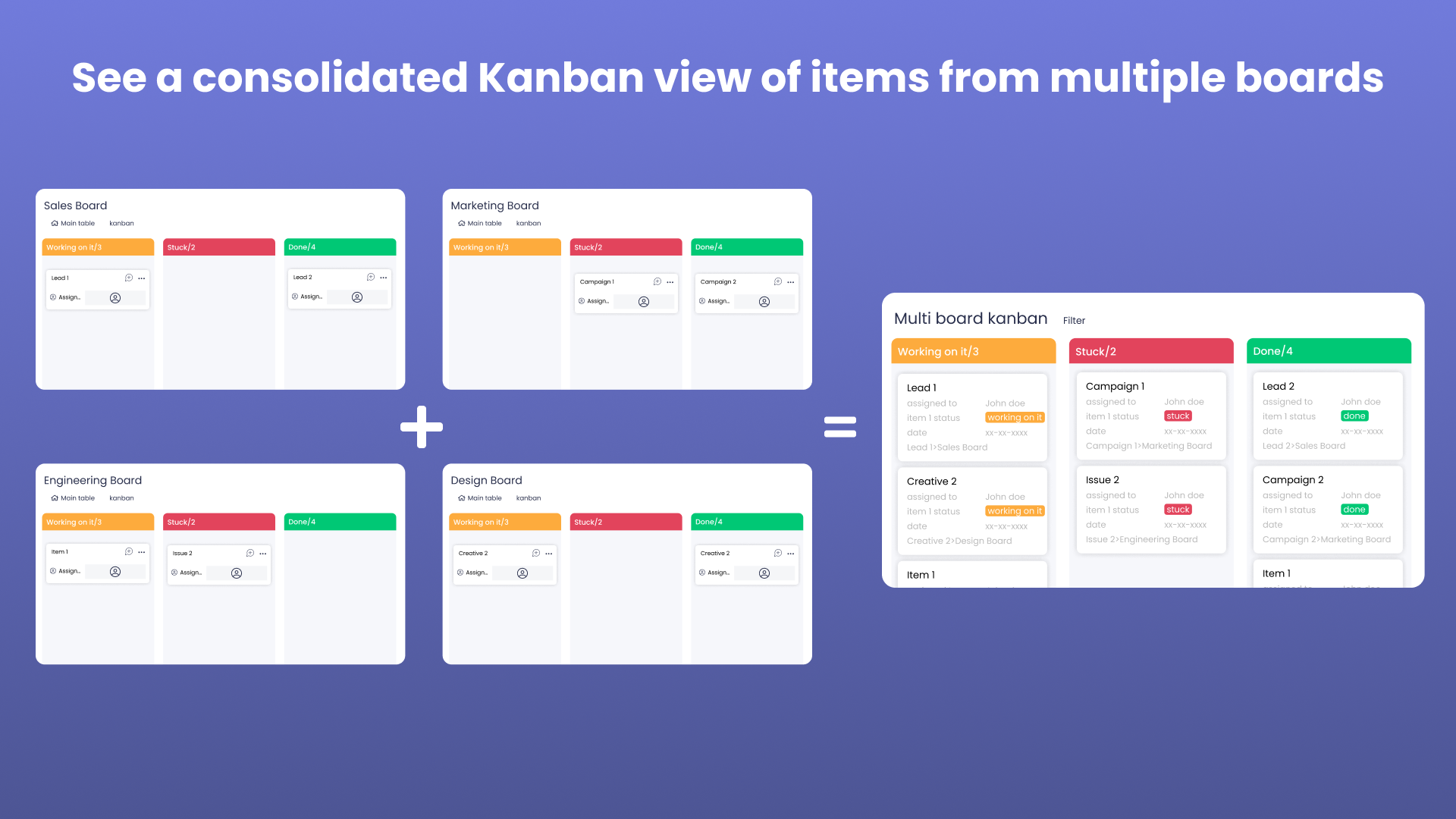
Multi-board views
Connect the boards that matter, then work from one Kanban. Changes sync back so board owners stay in the loop.
Board, workspace, and dashboard
Use Multi Board Kanban as a board view, workspace feature, or dashboard widget — wherever your team already looks.
Capabilities
Command center features
Group by anything
Status, people, dropdown, date — arrange columns the way your team thinks.
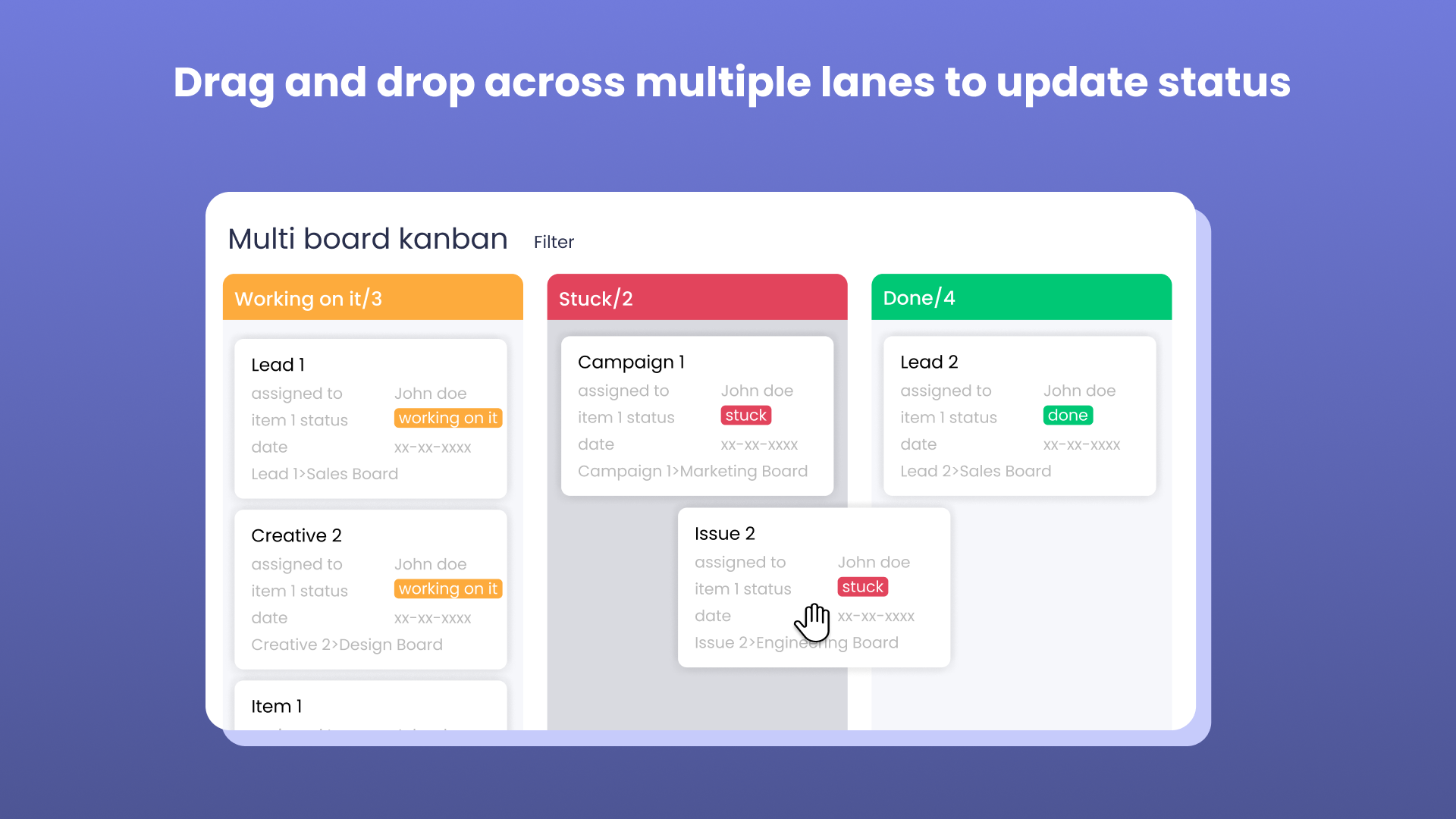
Drag & drop
Move cards across columns and boards with inline edits and assignments.
Filter & sort
Cut noise so each person sees the queue that matters to them.
Swimlanes
Stack another dimension — owner, priority, or client — on top of columns.
Multi level boards
Works on boards with nested hierarchy.
Realtime sync
Higher tiers keep views fresh as the underlying boards change.
Free
2 users · 3 boards/view · 2 views
billed annually
billed monthly
- 2 users
- 3 boards per view
- 2 views
- Core Kanban
Starter
5 users · 10 boards/view
billed annually
billed monthly
- 5 users
- 10 boards per view
- 5 views
- Realtime sync
Pro
10 users · 25 boards/view
billed annually
billed monthly
- 10 users
- 25 boards per view
- 10 views
- Realtime sync
Premium
20 users · 50 boards/view
billed annually
billed monthly
- 20 users
- 50 boards per view
- 25 views
- Sharing
Frequently asked questions
Add Multi Board Kanban to monday.com
Install from the marketplace and connect your first boards in minutes.
14-day trial on paid plans